Cybersecurity Marketing: How Security Vendors Use Video to Earn Trust
How security vendors market to skeptical buyers: who is in the buying group, where video fits, and how to show a product without exposing data.

Quick answer: Cybersecurity marketing is how security vendors win the trust of buyers who are skeptical by profession. What works is specific proof: show the problem in the buyer's terms, show what your product does about it on screen, and give the CISO, the analyst and the compliance lead each a version they can use. Video carries most of that load, from the platform explainer to the detection demo and the clip a champion forwards to finance.
Security buyers read vendor claims the way they read a phishing email: looking for what doesn't add up. Every booth at RSA says "AI-powered," every homepage says "end-to-end," and most of the people you sell to have been burned by a tool that didn't do what the slide promised.
We make cybersecurity video for security vendors, and this guide is the marketing side of that work: who you're really selling to, which content each buyer uses, where video earns its budget, and how to show a security product without putting anything sensitive on screen.
What makes cybersecurity marketing different from other B2B tech marketing?
Three things, and they shape every asset you make.
- Your buyer's job is doubt. Security teams are paid to assume things fail. Big claims without evidence make them trust you less, not more.
- The product is mostly invisible. Threat detection, access decisions and policy enforcement happen in logs and back-end systems. If you can't show it, buyers fill the gap with the competitor they already know.
- The buying group is wide. A SOC manager, a security architect, a CISO, IT, procurement, legal and sometimes a board member all touch the deal. Each one asks a different question, and most of them never sit in on your demo.
So the work isn't louder messaging. It's clearer evidence, packaged for each person who has to say yes.
Who are you marketing to, and what does each buyer need to see?
Write this down before you brief any campaign or video. It decides length, tone and what goes on screen.
- Practitioners (SOC analysts, security engineers): They want to see the console, the workflow and what happens after an alert fires. Polish matters less to them than accuracy.
- Architects: They want to know where your product sits in the stack, what it integrates with and what it replaces.
- The CISO: They want reduced risk, fewer tools and a story they can repeat to the board. Two minutes, not twenty.
- Compliance and GRC leads: They want to see how the product supports audits and frameworks such as SOC 2 or PCI DSS, in plain language.
- Finance and procurement: They want cost, consolidation and contract risk. They rarely watch a demo, but they do open a short clip their champion sends them.
One core story can serve all of them. One cut usually can't. Plan the versions at the brief, not after the main video is finished.
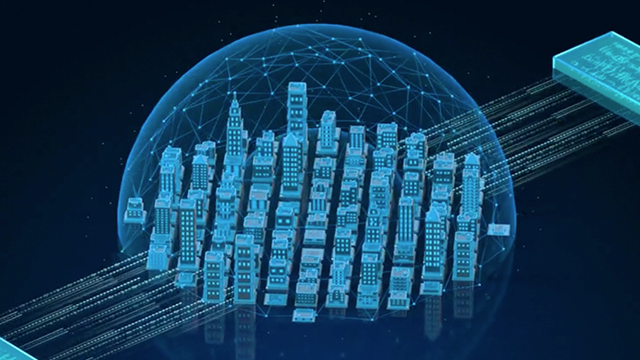
Created by Levitate. CloudCover: an animated explainer presenting the CC/B1 platform and how its cyber analytics and threat automation strengthen real-time security. Notice how it turns analytics and automation that live in the background into scenes a non-specialist can follow.
Where does video fit in a cybersecurity marketing strategy?
Video does the explaining your website copy can't. Here's where it pulls the most weight across a security buying cycle.
- Category and platform explainer (awareness): A 60 to 120 second piece that names the operating problem and shows how your product changes it. It lives on the homepage, in paid social and in outbound. See our technology explainer videos for formats.
- Detection or workflow demo (evaluation): One real scenario followed from signal to resolution: a phishing attempt, a risky login, an exposed storage bucket. This is the asset evaluators rewatch with their team. More on structure in our product demo videos page.
- Event content (RSA, Black Hat, regional summits): A launch video for the keynote or press moment, silent booth loops and pre-show teasers. Security shows are loud and crowded, so on-screen text has to carry the message. Our trade show booth ideas for tech teams cover the booth side.
- Sales enablement clips (late stage): Short answers to the questions that stall deals: integration effort, data handling, how you compare. Reps send these to people who never join a call. See sales enablement videos.
- Technical customer proof (decision): A customer's security team explaining how they evaluated and rolled out your product, with the workflow shown on screen.
Most security vendors start with the explainer and the demo, then add event and sales cuts built from the same scenes.
Created by Levitate. Proofpoint: email security and Office 365 protection explained in a custom animated overview video. It picks one environment the buyer already runs and shows where protection fits inside it, which is easier to follow than a feature list.
Planning security video for the first half of 2027? Tell us about your product and your buyers and we'll suggest which pieces to make first.
What should lead your security message if not fear?
Breach statistics and hooded hackers are the default for a reason: they're easy. They're also what every competitor already shows, and security leaders tune them out.
What tends to land instead:
- The operating problem: Alert volume the team can't triage, blind spots in cloud accounts, audit prep that eats a quarter. These are problems your buyer has this week.
- The before and after of one workflow: What the analyst does today, what they do with your product, and the time or risk that changes.
- Claims you can back up: Security buyers check vendor statements against frameworks, analyst reports and peers. Keep every claim inside what your team can substantiate, and let product and legal approve the script before production.
- A business outcome for the executive cut: Fewer tools, faster response, cleaner audits. The CISO needs a sentence they can take upstairs.
From our production notes: On an animated video series for an identity and access technology company, our first script drafts leaned on the security angle. The client's marketing lead sent them back: the campaign was about the customer experience across the buyer's journey, so focusing on security was off message. The rewritten script followed the end customer step by step, from onboarding onward, with the technology showing up at each stop. It also ran well past the word count planned for a two-minute video, so length had to be revisited before production. The lesson for security marketers: decide in the brief whether security is the headline or the proof behind a different headline, map the journey before anyone writes copy, and agree the word count early. Roughly 140 words of voiceover fills a minute.
Created by Levitate. Anitian: cloud security automation and compliance benefits explained in a short custom animated video. Short pieces like this work for compliance-minded buyers when they lead with the outcome (getting to compliance faster) rather than the threat.
How do you show a security product without exposing anything sensitive?
This is where many security videos stall. A live console carries customer IP addresses, user names, incident details and features that aren't public yet. Blurring a screen recording looks like you're hiding something.
- Rebuild the interface in animation. Screens are recreated from design files or a sanitized demo environment with believable sample data. Nothing real appears on screen, and the UI stays readable on a phone. Our software UI animation page explains the process.
- Simplify to the workflow. Cut the nav bars and settings panels the viewer doesn't need, and use motion and callouts to guide the eye to the decision that matters.
- Work under NDA on unreleased features. Launch videos are often due before a module ships. Build from staging and prototypes, and hold every file until the embargo lifts.
- Give invisible systems a visual language. A signal, a correlation and an action can be shown as simple animated scenes, so the viewer understands what the product did without reading a log.
Security reviewers care about this too. A product video that never showed real data is easier to approve internally, and easier for a champion to share outside your company.
How do you get security buyers to trust a video at all?
Trust in security marketing comes from specifics and from people. Name the frameworks your product supports. Show the actual workflow. Let a customer's security team explain how they evaluated you; our customer proof videos are built around exactly that. And make the vendor relationship itself easy to vouch for.
On that last point, an Education & Awareness Leader at Auto-ISAC, the automotive industry's cybersecurity information-sharing organization, wrote in a Clutch review of working with Levitate: "The responsiveness and professionalism were top-notch." In a category where buyers judge vendors on how they behave under pressure, that's the reputation your marketing partner needs as well.
Created by Levitate. Cowbell: cyber insurance for small and midsize businesses explained in a motion graphics video. Cyber risk is also sold by insurers and finance teams, and the same rule applies: explain the risk in the customer's terms and show what the product does about it.
What does cybersecurity video cost?
Most security vendors spend on two or three core pieces and cut the rest from them. Levitate's typical ranges from our live pricing page:
- 2D animation and explainers: $5,500 to $20,000+.
- Product demo or walkthrough: $5,000 to $25,000+.
- Motion graphics video: $5,000 to $15,000.
- Event or conference video: $6,000 to $25,000+.
- 3D animation: $12,000 to $35,000+, mostly for hardware security products and data center stories.
What moves the number: how many console screens you rebuild, how many audience versions you need, review rounds with product and legal, and how close the event or launch date is. A typical 60-second video takes about three to four weeks. For an estimate, use the video pricing calculator.
Market the proof, not the panic
Cybersecurity marketing works when it treats skepticism as the brief. Know which buyer you're talking to, show the product doing one real job, keep sensitive data off screen and give every member of the buying group something they can use.
Start with an explainer and a focused demo, plan the event and sales cuts while those are in production, and you'll have the core of a security marketing program that buyers actually watch.
Ready to show what your platform catches? Talk to Levitate for Tech. New clients can get up to $1,000 toward a first video project, and you can plan now and produce in 2027.
Frequently Asked Questions
What is cybersecurity marketing?
Cybersecurity marketing is the work of reaching and convincing buyers of security products and services, such as security teams, CISOs, IT and compliance leaders. Because those buyers are skeptical by profession, it relies more on technical proof, clear product demos and peer evidence than on broad brand claims.
How do you market a cybersecurity product?
Start by mapping the buying group and what each person needs to see. Lead with an operating problem your buyer has now, show one real workflow in your product, back every claim with evidence, and give champions short assets they can forward. A platform explainer and a focused demo are usually the first two pieces.
What content works best for cybersecurity marketing?
Explainer videos for awareness, recorded detection or workflow demos for evaluation, event videos for shows like RSA and Black Hat, short sales enablement clips for late-stage questions, and technical customer proof. See our cybersecurity video production page for examples of each.
How long should a cybersecurity product video be?
Platform explainers usually run 60 to 120 seconds, and executive cuts can be shorter. Detection or workflow demos made for evaluation can run a few minutes when they follow a full scenario. Booth loops and social clips work best at 15 to 30 seconds.
How much does a cybersecurity explainer video cost?
Levitate's typical range for 2D animation and explainers is $5,500 to $20,000+, and a product demo or walkthrough runs $5,000 to $25,000+. The final cost depends on length, how many console screens are rebuilt and how many audience versions you need. New clients can get up to $1,000 toward a first video project.


What Do Your Buyers Need to Understand?
Tell us what you are explaining, demonstrating, proving or launching. We'll help determine the smartest video approach, relevant examples and a realistic budget range.
Get PricingWhat Do Your Buyers Need to Understand?.
Tell us what you are explaining, demonstrating, proving or launching. We’ll help determine the smartest video approach, relevant examples and a realistic budget range.